Barnes & Noble PDP Purchase Zone Redesign
Strengthened trust at the moment customers decide to buy
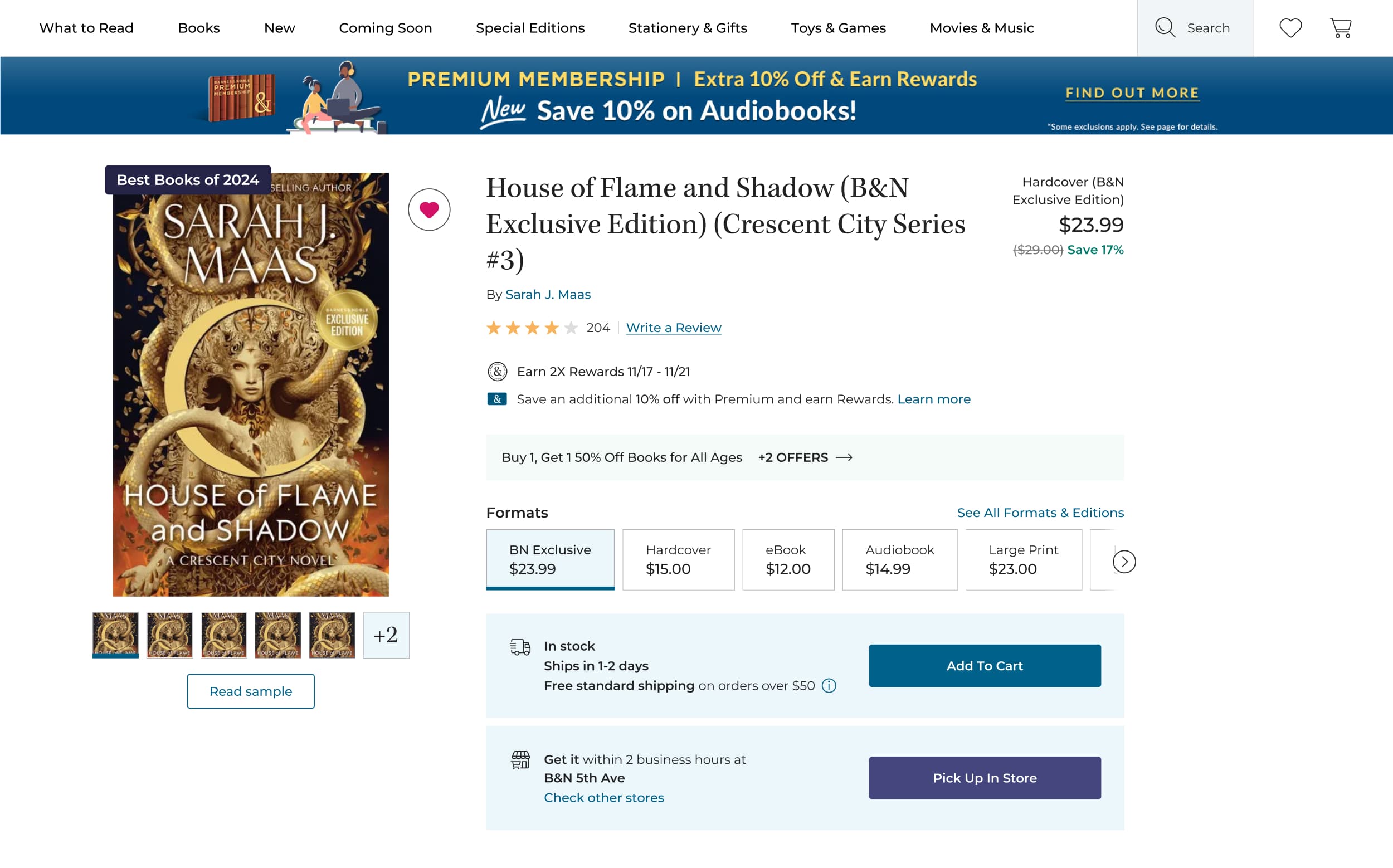
Impact
21%
web sales increase in first two weeks
11 product types
unified in a scalable framework
Clarified
fulfillment options for shipping and in-store pickup
Opportunity
Opportunity
Barnes & Noble's product detail page is where trust turns into a purchase. The purchase zone is the decision layer: where customers compare price, format, availability, and fulfillment before committing to buy.
Across books, audiobooks, gifts, and more, the purchase zone varied in structure and emphasis - each product type carrying its own fulfillment logic, data requirements, and customer decision points.
A large-scale migration to Shopify created an opportunity to rethink it not as a single redesigned layout, but as a system that could scale across the catalog.
Constraints
When Requirements Kept Moving
The challenge wasn't simply redesigning a UI. It was making durable design decisions within a moving target of stakeholder priorities, executive feedback, and evolving requirements.
Physical and digital products followed different fulfillment layouts. Stakeholders including executive leadership and merchandising requested greater visibility for promotions, badges, rankings, and secondary features.
Midway through the project, the CEO requested a shift away from the 3-option card structure I proposed (a pattern used by many mass retailers), returning to Barnes & Noble's existing 2-option fulfillment model.
Rather than treating this as a setback, I used structured explorations to clarify tradeoffs and align stakeholders around a hierarchy that could hold its shape as requirements changed.
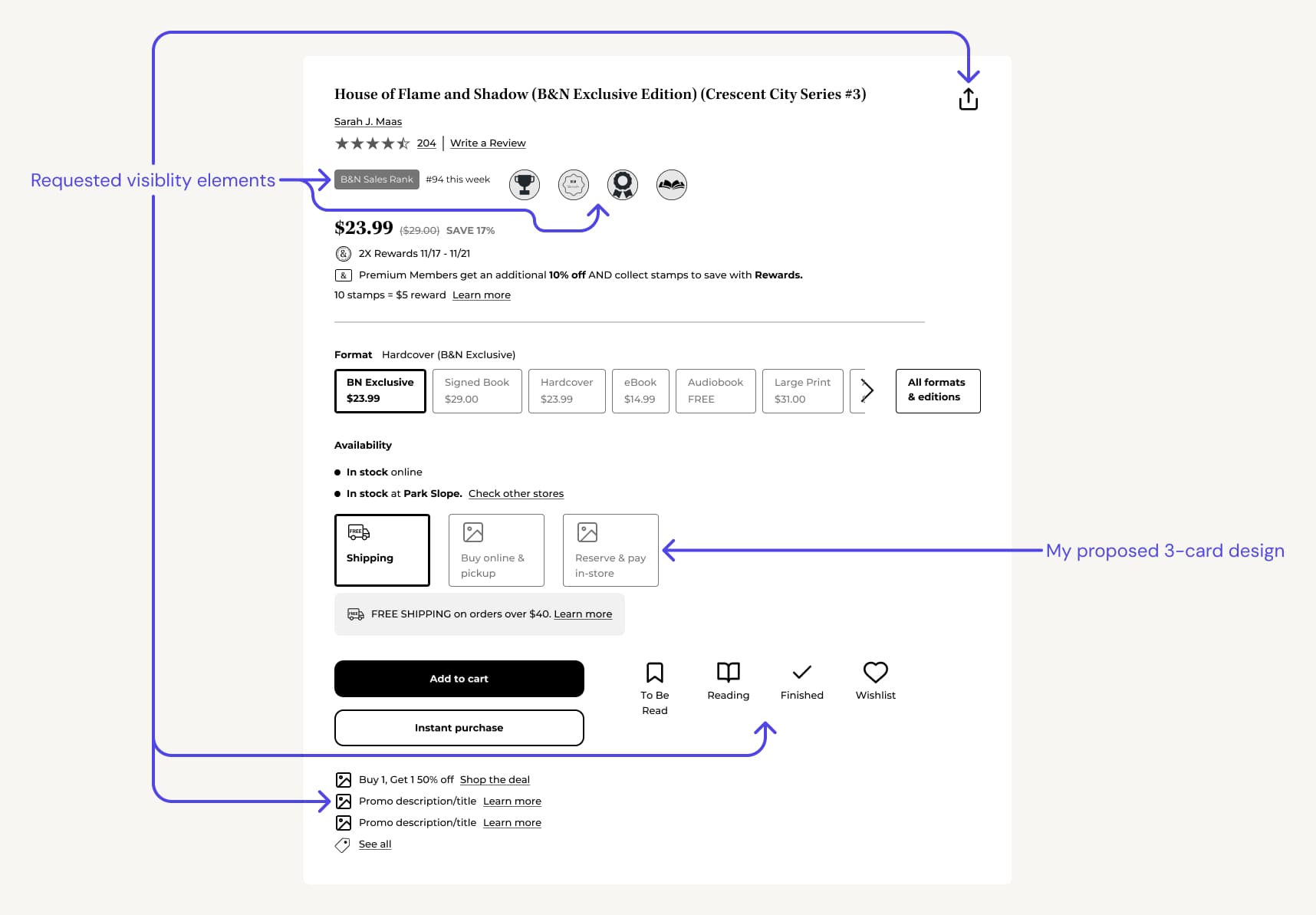
Exploration showing stakeholder-requested visibility elements and my proposed 3-card fulfillment design
System Design
From Fragmented UI to a Cohesive Purchase Experience
Instead of treating each PDP as a unique layout, I redesigned the purchase zone as a modular framework with consistent logic across 11 product types - each with distinct fulfillment paths, user states, and data constraints.
This system established predictable placement for media and title, pricing and promotional signals, availability and fulfillment, and primary and secondary actions.
The result is a purchase zone that feels stable, even as products and formats change.
Purchase zone adapts across 11 product types
Key Decision
Clarifying Primary Decision Signals
The previous layout buried price, scattered promotions, and required extra scanning. I restructured the hierarchy to surface price immediately within the purchase zone and place promotions closer to pricing: strengthening the path toward primary actions, Add to Cart and Pick Up in Store.
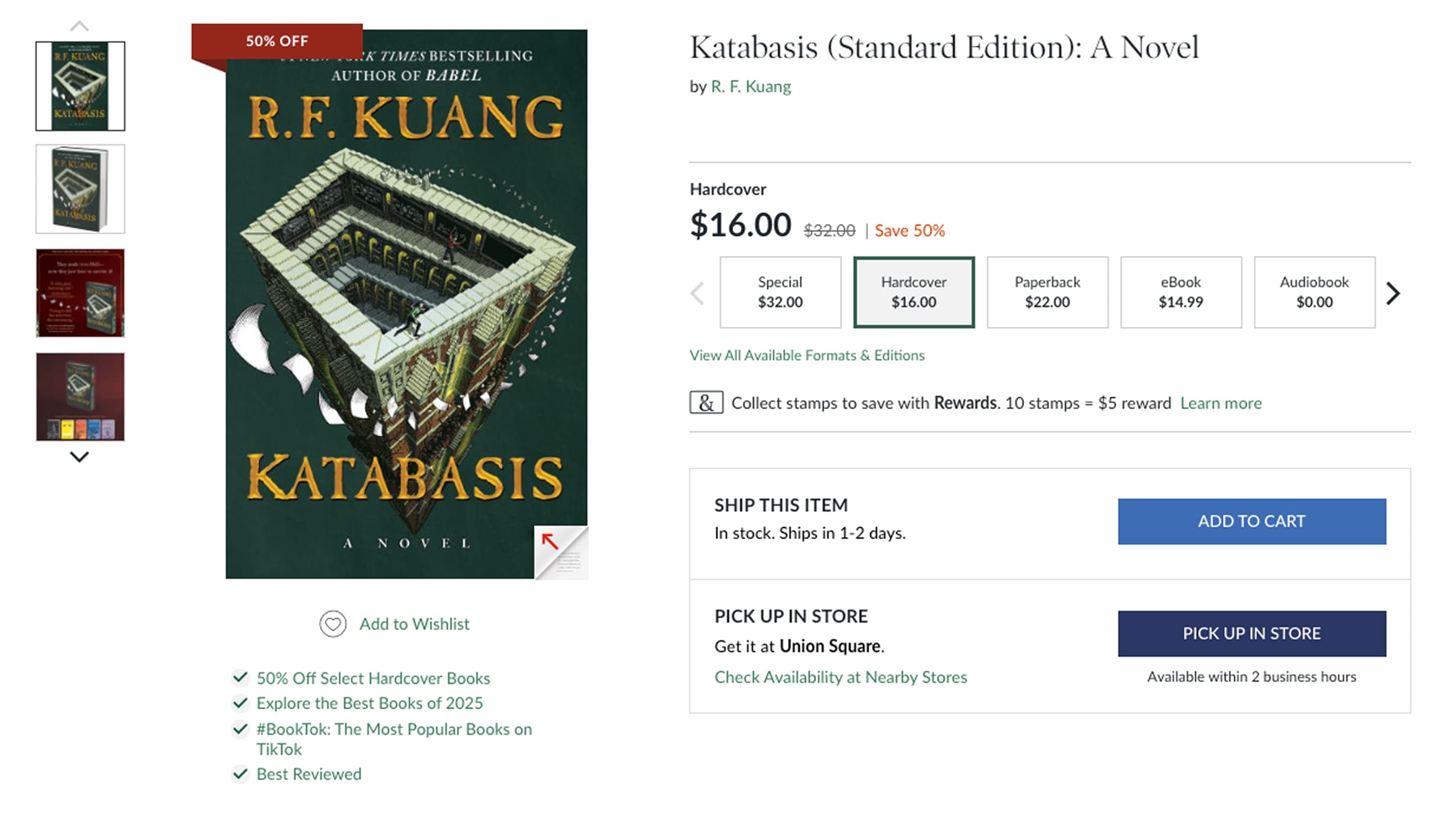
Before
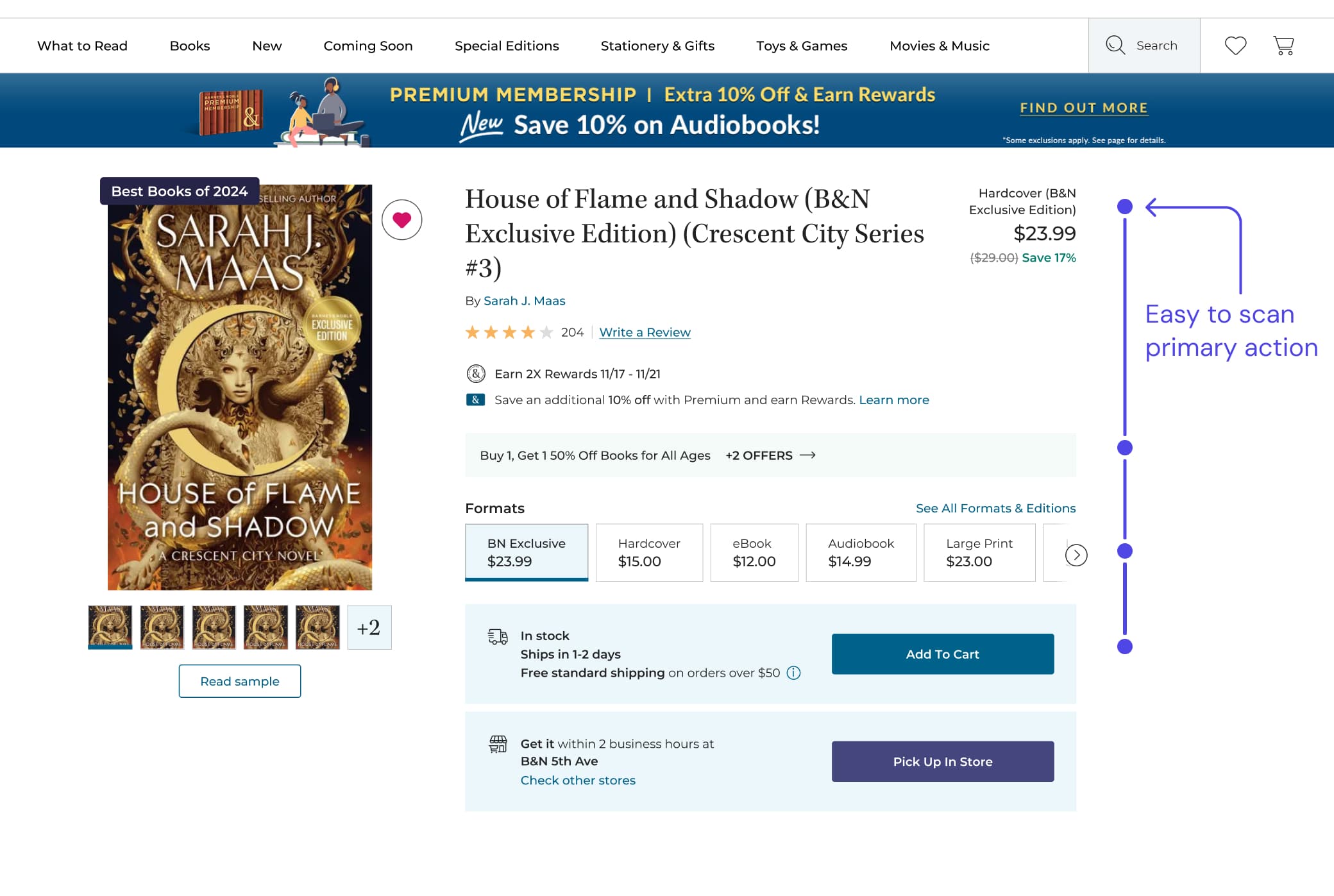
After
Format Selection
Visual consistency across formats
Selecting between hardcover, paperback, eBook, and audiobook is a core decision on PDP. Each format has distinct fulfillment and data requirements, which previously led to layout shifts and inconsistent emphasis. The updated purchase zone maintains a consistent decision hierarchy as customers switch formats. While content adapts to format-specific needs, the structure remains predictable: price, availability, and primary actions update without disrupting orientation.
Switching between formats updates content without disrupting layout or hierarchy | Figma Make
Fulfillment
Simplifying Fulfillment Within Business Direction
Shipping and store pickup are clearly differentiated, equally visible options at the moment of decision. Pickup and reservation interactions are now contextual drawers that preserve page orientation: previously, they were modals. Reserve Online, Pick Up In Store (ROPIS) maintains an 89% fulfillment rate and drives in-store traffic. The updated purchase zone strengthens visibility and consistency for this high-reliability channel.
Reserving a product to pick up in store | Figma Make
Mobile
ROPIS on mobile
The reserve flow adapts to smaller screens with a full-screen drawer, condensed form, and a clear handoff to the confirmation state. The same two-option structure (Pay Now Online / Pay Later In Store) persists across breakpoints.
Commerce
Introducing variant options for non-book products
Non-book products such as journals, gifts, and stationery previously required separate PDPs for each color, size, or pattern variation. I introduced variant selection enabling customers to switch between color, size, or pattern without leaving the page. This reduces dead-end navigation and brings non-book commerce in line with modern e-commerce standards.
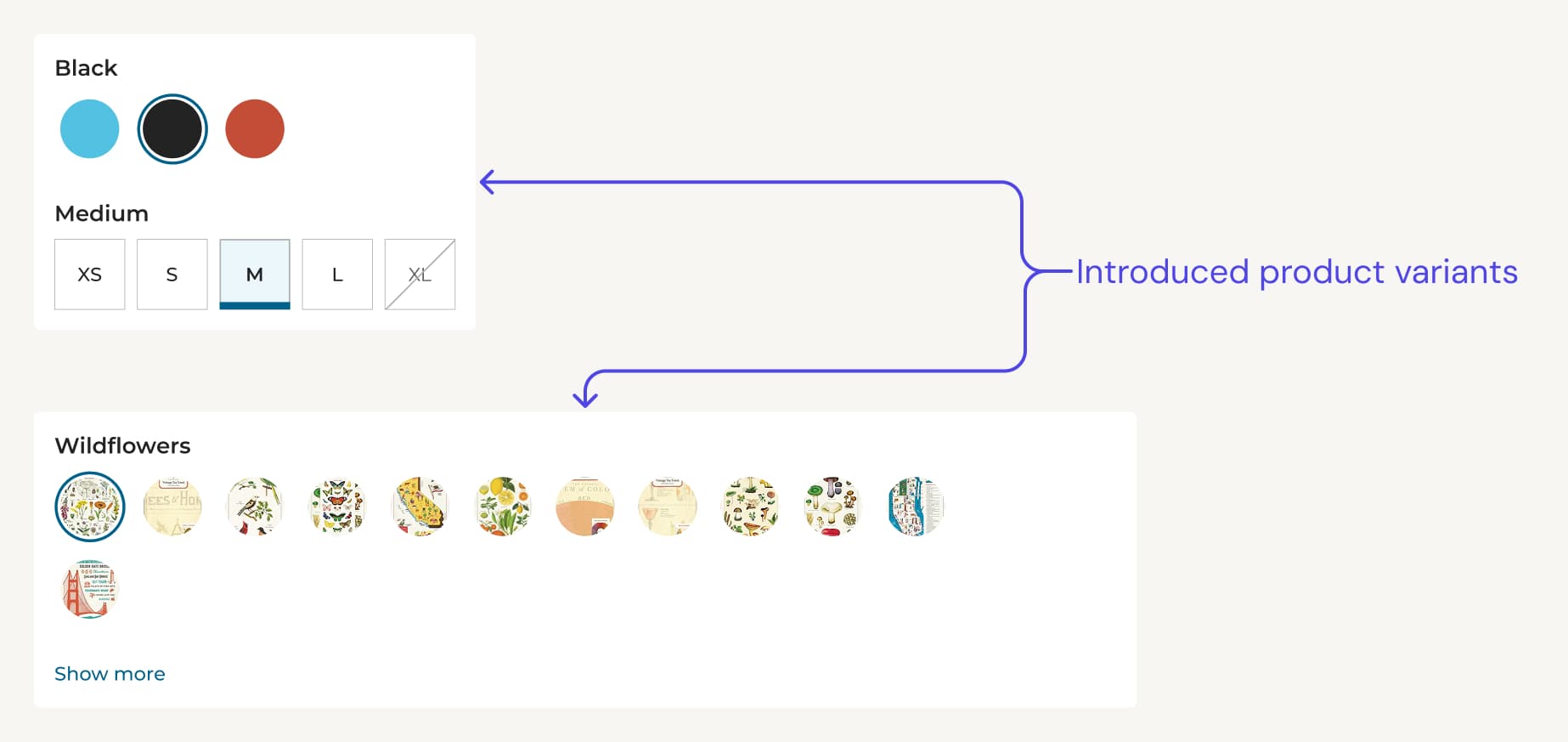
Introduced variant pattern for non-book products
Impact
Early impact
The redesigned purchase zone launched alongside Barnes & Noble's broader Shopify migration. In the first two weeks, web sales were up 21% to last year. I can't isolate how much of that is the purchase zone versus the rest of the migration, but it's a strong early signal.
The framework establishes a foundation to measure add-to-cart conversion from the purchase zone, engagement with shipping and store pickup selections, and heatmap analysis of decision flow.