SparkNotes Content Hub Search Expansion
Redesigned the search and discovery experience for SparkNotes' content hub, making it easier for students to find the right guide at the right moment
Impact
88%
of research participants found hub search intuitive
Encouraged
on-site retention
Overview
Overview
SparkNotes is the top site to help students better understand literature and Shakespeare. The site has 3 content hubs, each with a search bar near the top. Students anticipated searches would be limited to the individual hubs. However, it's actually a global search bar. Our goal was to match search with user expectations: creating searches specific to each hub while considering business needs. A key challenge was keeping the search bar in the header, an intentional business decision.
Problem
Disconnect between user needs and content hub search
SparkNotes has three content hubs: Literature, Shakespeare, and Other Subjects. Each hub has a search bar and filtering options. Usability testing conducted 2 months prior to this project showed that search is the #1 way students find content on the site, students often bypass content-hub filters, and students assumed each hub's search bar would only show results specific to that hub.
"I just google 'SparkNotes Lord of the Flies' for example. It's more steps to go to SparkNotes first." — Chloe, high school junior
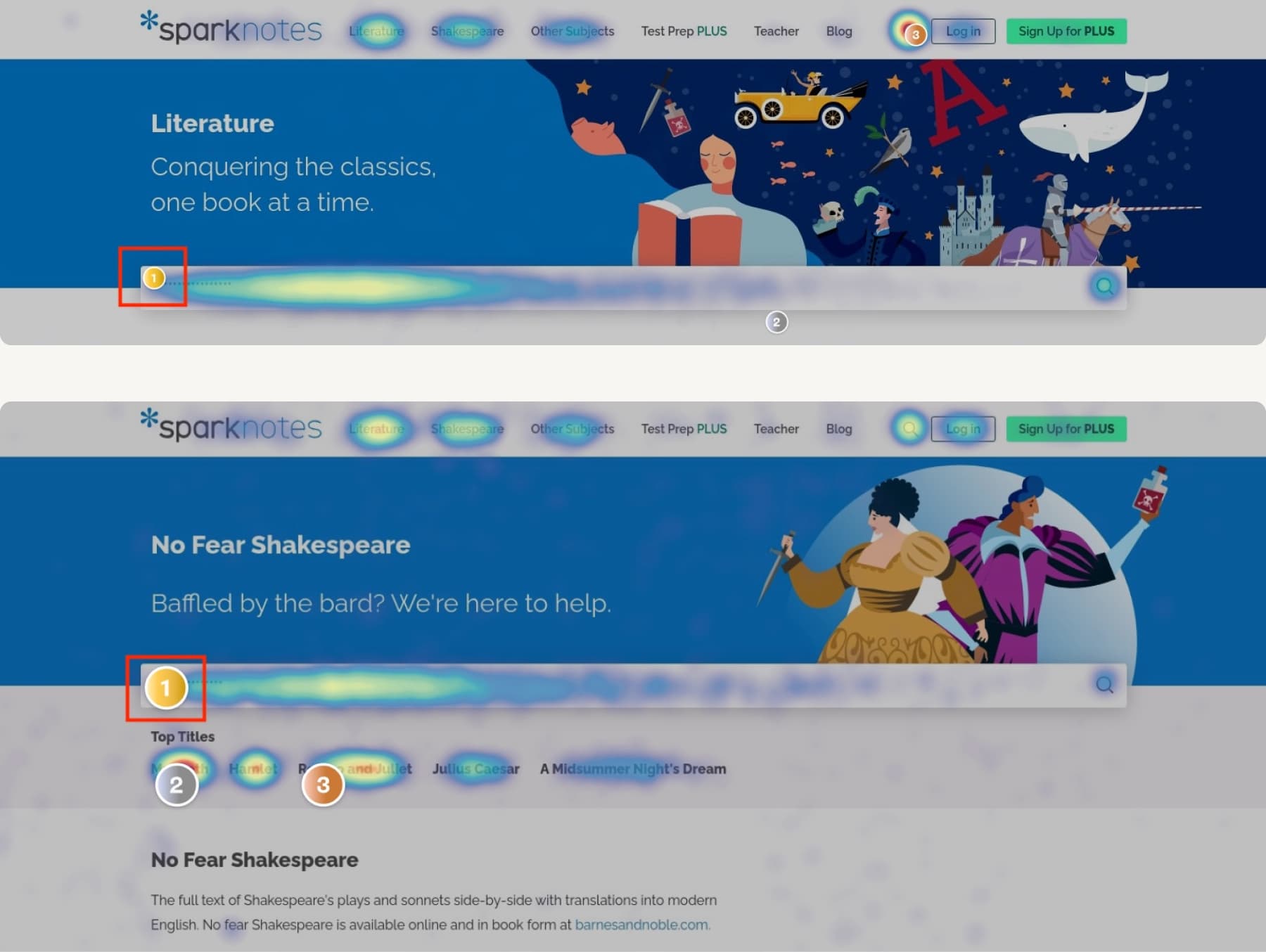
Heatmaps confirmed search is the dominant way students navigate SparkNotes
Design
Limiting hub search scope
To meet users' expectations for hub-specific results, we limited searches to titles and metadata relevant to each hub. For instance, searches on the Literature hub would only show Literature content. If a student searched for "philosophy," a link would take them to that subject in the Other Subjects hub. I also updated the Literature search bar placeholder copy to "Search Literature..." to clarify this as a hub-specific search.
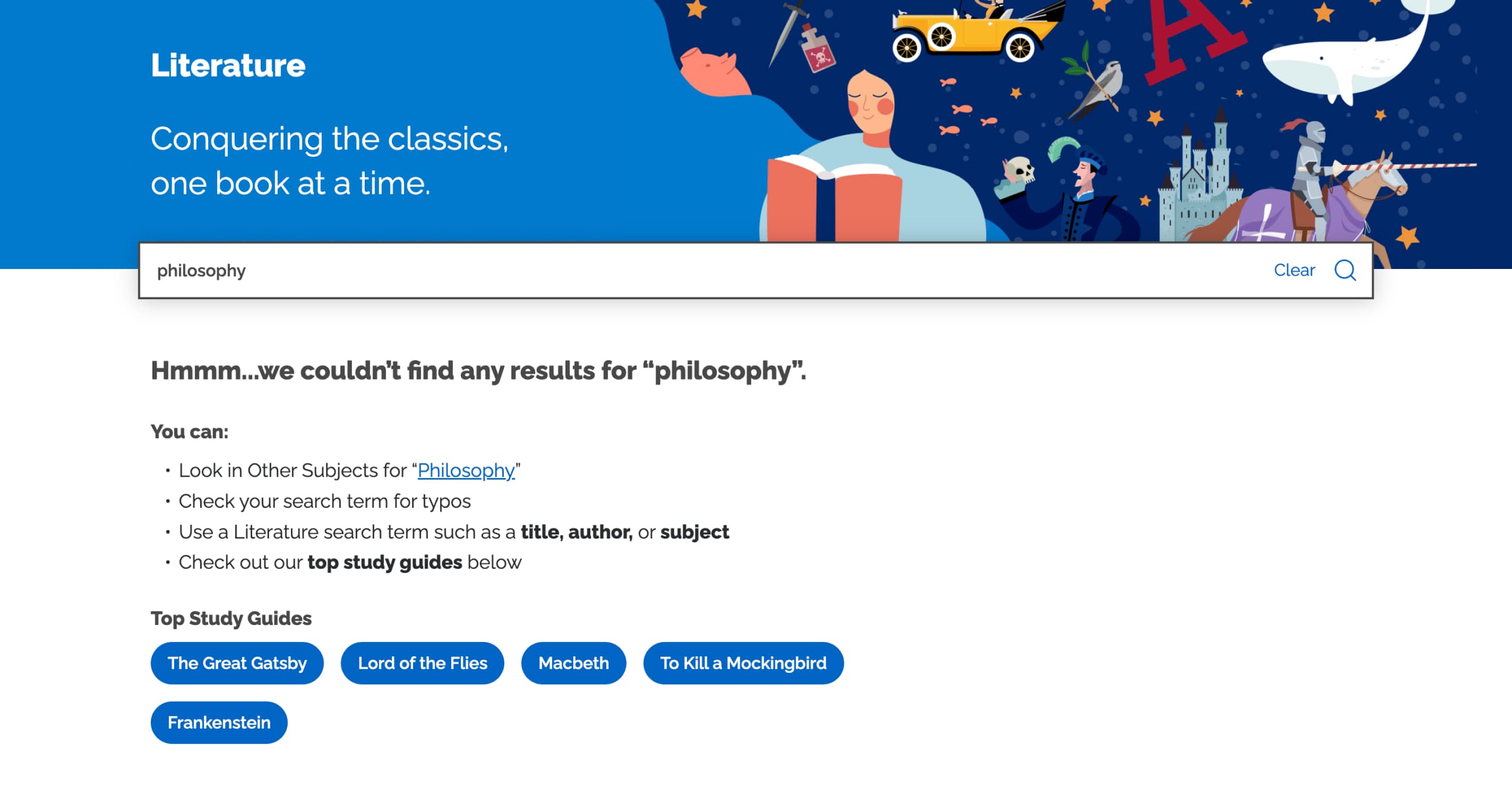
Scoping search to each hub reduced results noise and matched student expectations
Layout
Move search bar to filters
The search bar in the header image confused students, who thought it was only for that hub. I moved it closer to the filters, creating a visual and functional association that signaled it was part of a hub-specific search system.
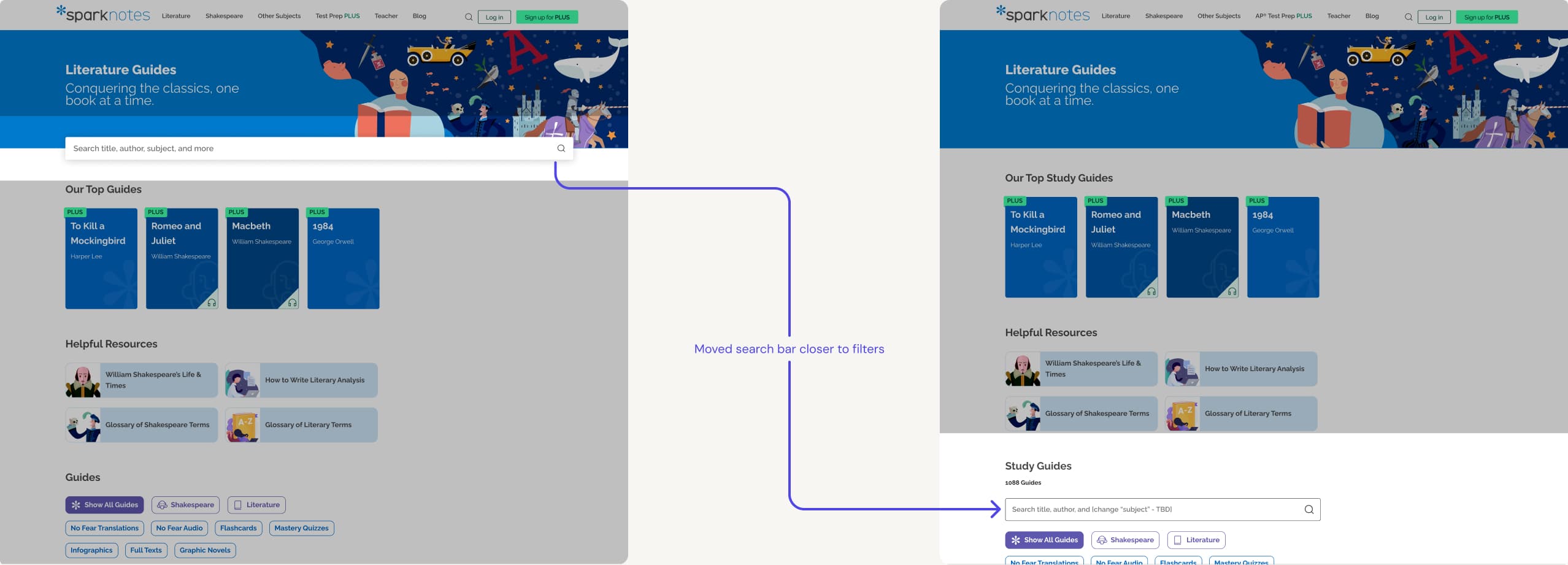
Repositioning the search bar adjacent to filters reinforced its hub-specific purpose
Autosuggest
Scoping autosuggest for better search context
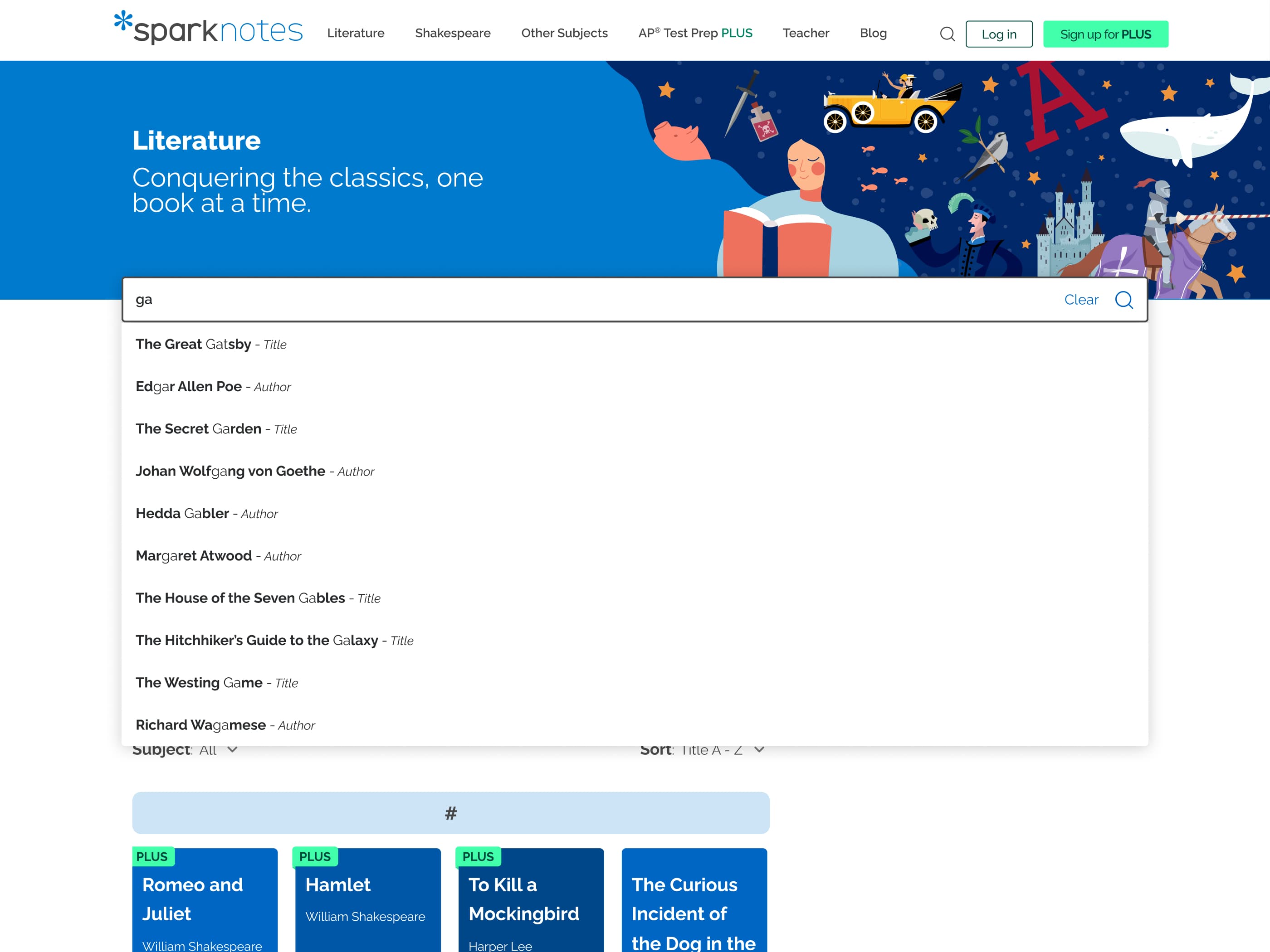
Knowing the top categories students searched for, we provided clear scoping within the autosuggest drop-down. Suggested items were appended with categories such as ": Title" and ": Author". This gave students immediate context for each result rather than requiring them to click to find out.
Autosuggest with scoped category labels reduced ambiguity for students scanning results | Figma Make
In addition to Top Study Guides, we also added "Recent Searches" as a convenience option so students could access past queries and continue where they left off.
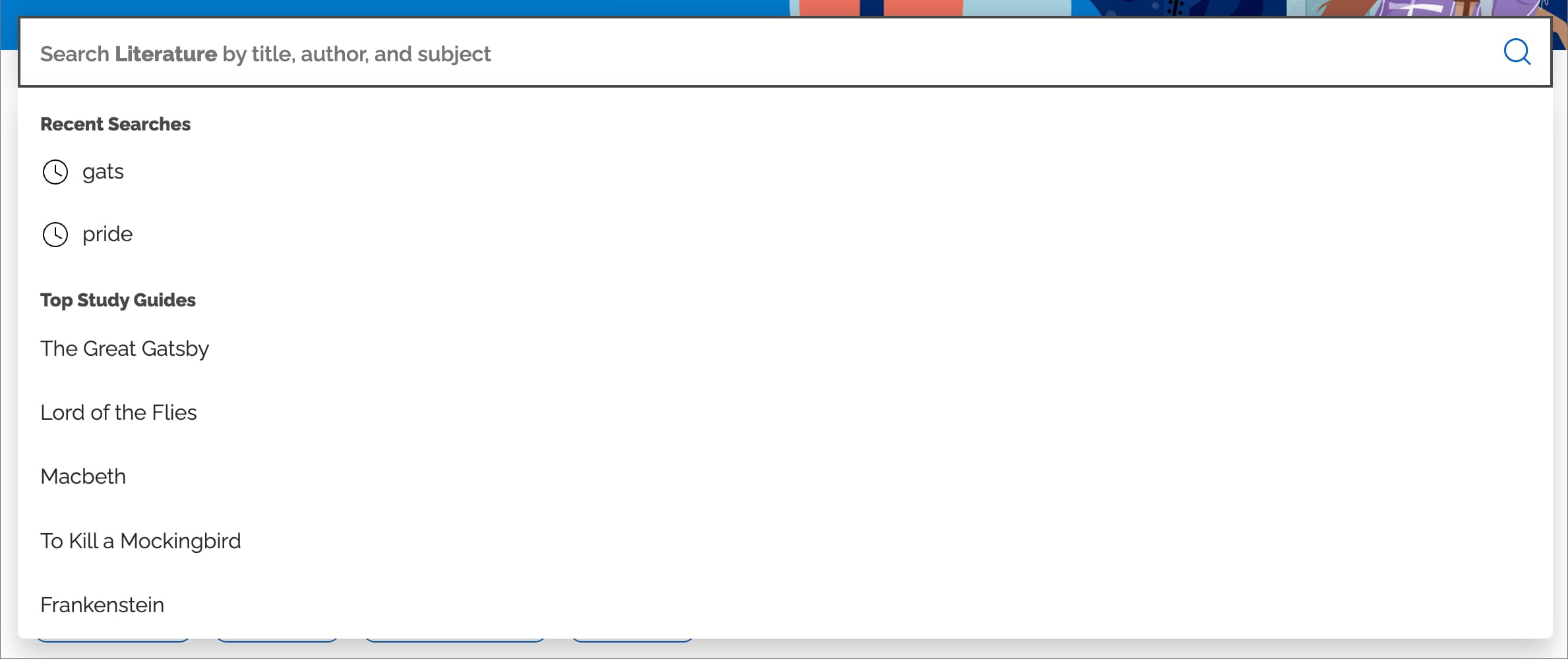
Recent Searches reduces friction for returning students picking up mid-session
Mobile
Optimizing mobile content hub-search
With limited space on mobile, I capped the max number of autosuggest results shown to four versus up to 10 on desktop. Also, to maximize space once the user tapped into the bar, there would only be an "X" instead of the word "Clear".
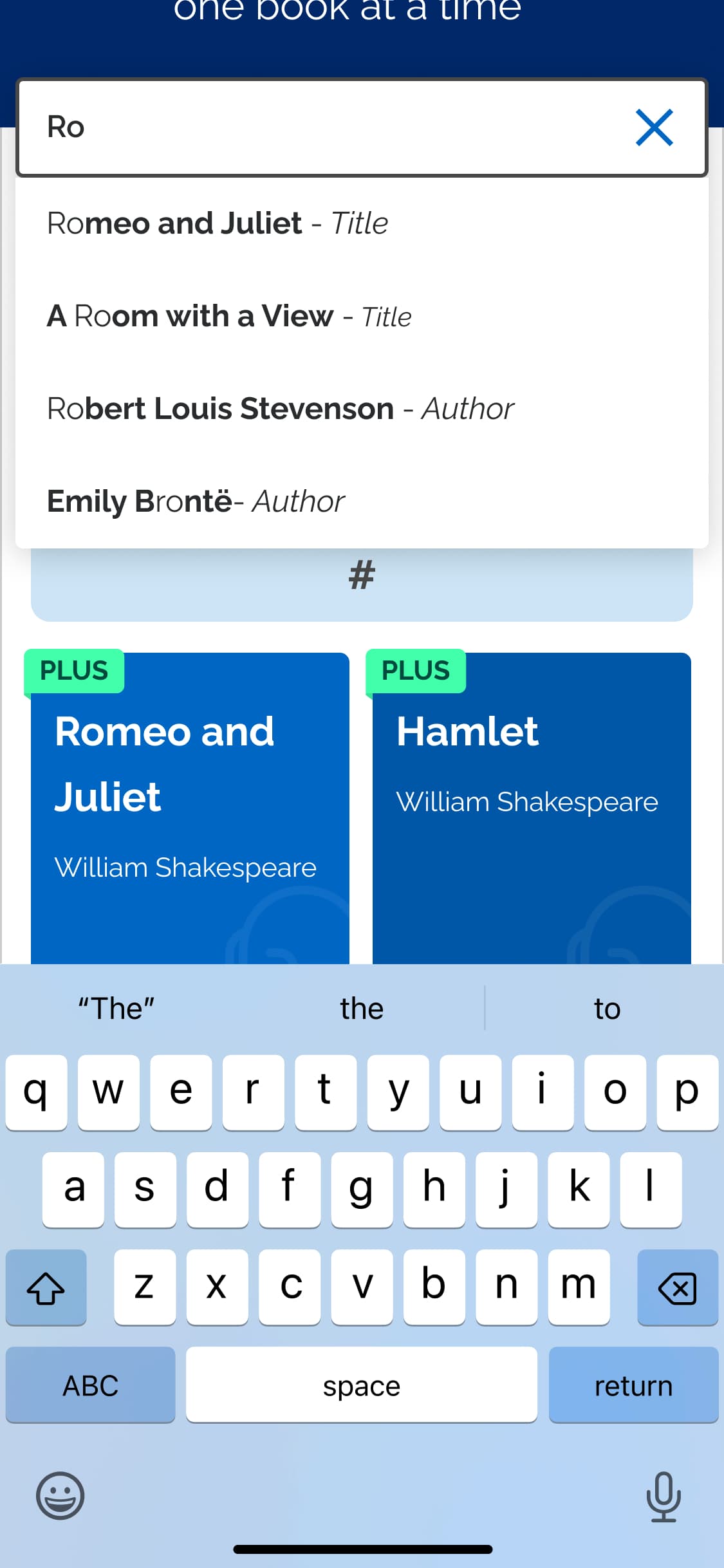
Constraints
Navigating competing goals
A main challenge was that the Senior Business Director wanted the search bar to stay in the header image. If we moved it back there, it might reinforce the confusion experienced in user testing: implying this is global search. By the time this request was brought up, the designs were already approved by the whole SparkNotes team.
To meet this new requirement while still making the search experience better required changing the Literature hub layout. I moved the secondary Helpful Resources section to the footer: according to the heatmaps, these resources weren't being used much. I also removed the "Our Top Guides" section since we added it to the search dropdown. This solution demonstrated my ability to balance user needs with business goals, optimizing for clarity while respecting high-level business priorities.
Results
Impact and validation
We conducted usability testing with 8 participants to evaluate effectiveness of the new search experience. Participants found the updated experience helped them find relevant content faster.
88% of users (7/8) clearly understood the purpose of the hub-specific search bar and found it intuitive, citing the updated placeholder text and autosuggest functionality.
75% of users (6/8) found the autosuggest feature well-received with no improvement suggestions.
Participants appreciated autosuggest but noted spelling tolerance issues: typing "flash cards" should also surface "flashcards" results.